Universal MCP
A single MCP server, for your whole API estate.
Give agents one interface to your APIs, databases and streams. They ask for the data or action they need; Orbital works out how to get it done.
No MCP tools to build or maintain.
Don't turn your API estate into a tool list.
As you connect more APIs to MCP, the agent has more tools, more schemas and more choices to navigate.
Orbital gives the agent one semantic interface across your systems. It asks for what it needs; Orbital works out where to get it and what to call.
Semantic MCP
Agents can query and act across APIs, databases and streams without exposing every operation separately.
Less context, fewer choices
Keep hundreds of tool schemas out of the model’s context window.
Adapts as APIs change
Publish an updated schema and Orbital replans against the new model, without rebuilding MCP tools by hand.
Ask for what you need.
Agents don't need to work out how to navigate your services.
Orbital turns the request into a typed query, validates it, and plans the integration across your estate.
An agent asks for what it needs in plain language. Orbital turns that request into a query, works out which systems to call, orchestrates the calls, and returns a single response over MCP.
Pull up customer CUS-4821 - name, tier, open tickets, last contact and what they’ve spent.
1// Orbital resolves that to one query - which still names2// no service, no endpoint, and no order of calls.3find { Customer( CustomerId == 'CUS-4821' ) } as {4 name : CustomerName5 tier : LoyaltyTier6 openTickets : TicketCount7 lifetimeSpend : LifetimeSpend8 lastContact : ContactDate9}Instant, deterministic orchestration.
Orbital builds the integration on demand, then runs it deterministically — without an LLM choosing tools, sequencing calls or handling the results.
Fast, repeatable execution, every time.
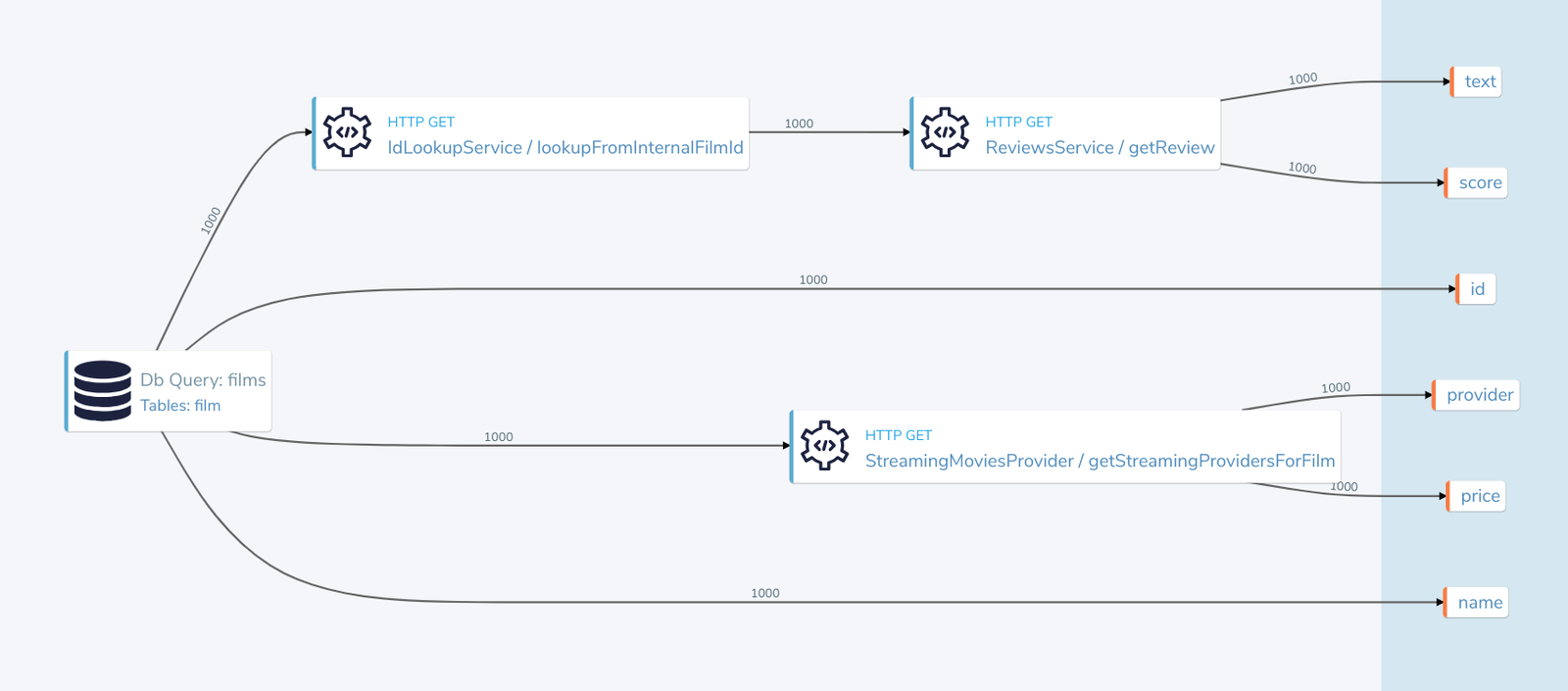
Let agents act across your APIs
Agents can invoke existing operations without a hand-written MCP tool for each one.
Orbital finds the right operation, resolves its inputs from the request and available context, checks authorisation, then executes it through the same deterministic runtime.
// The agent asks for the outcome."Update this customer's billing address."
// Orbital resolves the operation that can deliver it,// works out the inputs from the request and the estate,// checks the caller is allowed to run it, then calls it.given { CustomerId = 'CUS-4821', address : PostalAddress }call BillingApi::updateBillingAddress
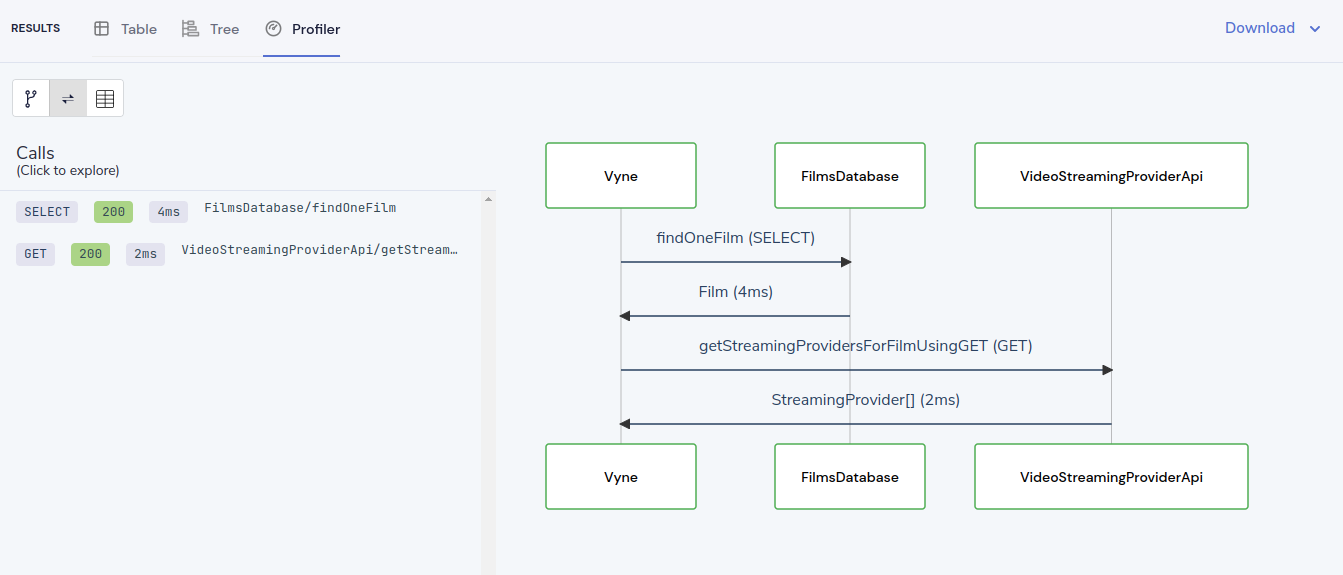
See what the agent actually did.
Inspect the execution plan behind every MCP request: the systems called, timings, transformations and the source of every returned value.
No extra instrumentation required.
Give agents broad reach without broad access.
Orbital lets agents work across your enterprise while enforcing context-aware policies down to individual fields - even when the answer is assembled from multiple systems.
Field-level authorisation
Control exactly which data each caller can see.
Context-aware policy
Use identity, request context and live data from connected systems to make access decisions.
Audit and lineage
See who asked, what ran, which policies applied and where every returned value came from.
Frequently asked questions
Got another gnarly question? We’d love to hear it. Come and chat on Slack.
Your API estate.
One MCP server.
Start with the schemas you already publish, connect your MCP client, and ask for what you need.